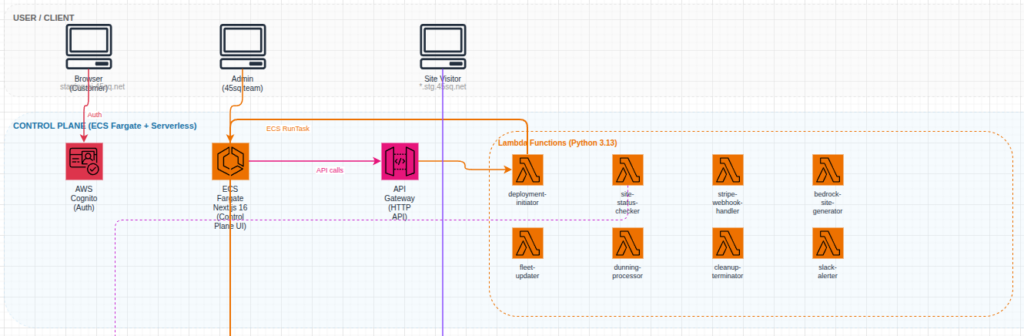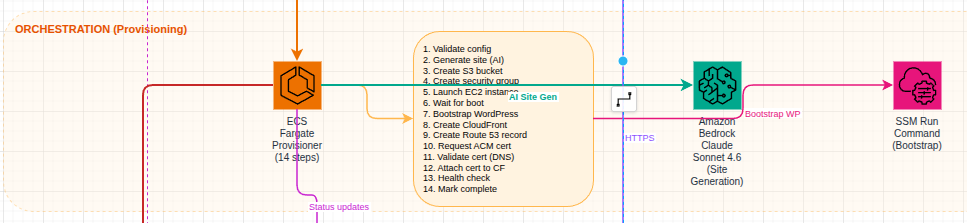
If you remember, I did an experiment with OpenClaw. I let it have access to build anything it wanted with a single EC2 instance. It built https://seoscoreapi.com which is a fantastic tool for checking the status of your websites SEO.
Initially I thought I would scrap the project and just let the domain expire. But I started doing some manual promotion after OpenClaw spent over $200 and got the first paid user! Since then I’ve put a few hours a day promoting and adding some features.
What’s New
The last few months have been the most productive stretch since launch. Here’s what shipped:
ADA Accessibility Audits
This one came from watching the news. ADA website lawsuits hit over 4,000 in 2025 and they’re still climbing. Small businesses, e-commerce sites, local restaurants — everyone’s a target.
We built a full WCAG 2.1 AA compliance endpoint that injects axe-core (the industry-standard accessibility engine) into a headless browser and scans the rendered page. It returns a compliance score, a lawsuit risk assessment, category breakdowns across 10 areas (color contrast, forms, keyboard navigation, ARIA, etc.), and specific fix suggestions for every violation.
We ran it on our own site first. Scored a 71. Found contrast issues, links that weren’t distinguishable from body text, a misused aside element. Fixed everything. Now we score 100. That’s the point — even developers who care about accessibility miss things.
Available on all paid plans. Starter gets 5/month, Ultra gets 500.
GEO (Generative Engine Optimization)
Traditional SEO gets you into Google. GEO gets you into ChatGPT, Claude, Perplexity, and every RAG pipeline pulling from the web.
The GEO audit checks 26 factors across four categories: crawl accessibility, structural markup, content extractability, and AI discoverability. It answers questions like: Do you have an llms.txt file? Is your content chunked in a way that RAG systems can ingest? Do you have freshness signals? Are AI crawlers even allowed in your robots.txt?
This is becoming more relevant every month. Traffic from AI systems is growing and most sites aren’t optimized for it at all.
Competitive Audits
You can now audit your site against competitors in a single request. The response shows a side-by-side comparison with score differentials, category-by-category breakdowns, and which specific checks you’re winning or losing on. Useful for agencies pitching prospects and for anyone doing competitive analysis.
What’s Next
Honestly I’m not sure. I would love to get more people using the service. Possibly some more integrations, a WordPress plugin?
Try It
If you’ve read this far, go audit your site: seoscoreapi.com
The demo on the homepage doesn’t require a signup. Type in your URL, see your score, read the priorities list. If you want API access, the free tier takes 30 seconds to set up — just an email and a verification code.
If you’re a developer, the docs have everything. Python and Node.js SDKs are on PyPI and npm. The GitHub Action is at SeoScoreAPI/seo-audit-action.
If you have questions or feedback, I’m at aaron@seoscoreapi.com.